|
SamLogic |
|
 |
|
USB AutoRun Creator |
|
SamLogic
USB AutoRun Creator is a tool that gives
AutoRun capabilities to your USB flash drives / USB sticks or SD memory
cards. The AutoRun
function will work in the same way as with a CD or DVD - your menu,
program or document will open 100% automatically! |
 |
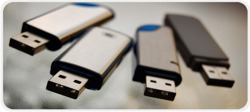 AutoRun
for a USB flash drive / USB stick will work again AutoRun
for a USB flash drive / USB stick will work again
Recently Microsoft stopped AutoRun from working with USB
flash drives / USB sticks in Windows. With our software
USB AutoRun Creator
you can make it work again!
Use
it
standalone or
together with CD-Menu Creator
USB AutoRun Creator can be used standalone or together with our
menu designer tool CD-Menu
Creator. By installing USB AutoRun Creator on a computer that
already has CD-Menu Creator installed you will extend CD-Menu Creator
with new functionality that makes it possible to create AutoRun
menus for USB flash drives. You can also use USB AutoRun Creator
standalone if you for example have your own solution to create menu
interfaces, or if you want to make a program or document on your USB
flash drive
run / open automatically.
How does it work?
The
first time your customer inserts your USB stick into his/her computer's USB port
they have the option to install a driver
program that will co-operate with USB sticks distributed from you. The
driver program allows a menu, or another
program, to open automatically when your USB stick is
inserted into the USB port. The USB stick will behave in same
way as when a CD or DVD is inserted in a drive - full AutoRun
technology will be used.
The end-user only needs to install
the program once. Thereafter all USB flash drives that are distributed
from you will be completely auto-starting and support full AutoRun. For
security reasons only USB flash drive contents created via USB AutoRun
Creator or CD-Menu Creator can be started
automatically. Contents that have been created or placed on the drive in another way will be
ignored.
Is it secure?
 Microsoft removed
the support of AutoRun for USB flash drives in Windows
for security reasons (many viruses and malware was spread in this
way). We took this into consideration when we designed USB AutoRun
Creator. We wanted to create a system where the security level is
unchanged - it must be as secure as before - but full AutoRun must be
supported. This was achieved by following these two steps: Microsoft removed
the support of AutoRun for USB flash drives in Windows
for security reasons (many viruses and malware was spread in this
way). We took this into consideration when we designed USB AutoRun
Creator. We wanted to create a system where the security level is
unchanged - it must be as secure as before - but full AutoRun must be
supported. This was achieved by following these two steps:
l
The first program that is started
on a USB flash drive is always a
digitally signed program from us (SamLogic Software).
l
If a second program need to be started, we check that it is the original
program by using an advanced checksum method.
By using digitally signed programs
and controlling checksums we ensure that the program files on the USB
flash drive are the original files and that nothing has been changed
since their creation. No program that have been replaced or altered will
be started. And the security level can be increased even more by
distributing write
protected USB sticks. The stick will be read-only then.
When should I use
USB AutoRun Creator?
If you distribute USB
sticks that likely will be plugged in more
than once in the same computer, using USB AutoRun Creator can be a good
idea because the user don't need to open Windows Explorer every
time he/she needs to access the contents of the USB flash drive. Also, if you
are likely to distribute more than one USB stick to the same user,
the following USB sticks will support full AutoRun
when plugged in. |
|
Small office version
also available
A small office version of USB AutoRun Creator is also available.
It is adapted
for use in small offices / home.
Read more. |
|
 Can
also be used with SD memory cards Can
also be used with SD memory cards
Besides USB flash drives, USB AutoRun Creator can also be used to add
AutoRun functionality to SD memory
cards (for example SDHC and SDXC cards) when they are used with computers
that have Windows installed.
Examples of Uses
Some examples of uses for USB AutoRun Creator are distribution of:
corporate and product presentations, large media-rich reports, vendor
price lists, special customer information (e.g. personal health
records), portable applications
and software updates.
|
|
|