CONTENT
 Foreword Foreword
Article
- Inside the Autorun.inf file in Windows
Tip:
Multiple menus
Tip:
Variables in titles
26
professionally designed menu examples / templates
|
FOREWORD
This is newsletter number three in a series of three for
those who had tried or bought CD-Menu Creator from SamLogic Software.
In this issue we have included an article about the special
file AUTORUN.INF, that is used to automatically open a menu
when a CD or DVD is inserted in a drive. We have also
included
two tips for CD-Menu Creator. The first tip describes how
to create a multiple menu system and the second tip shows
how to use variables in a menu. And finally in this newsletter
we describe the menu examples that follow CD-Menu Creator
and how they can be used as templates for your own menus.
If you have questions about the menu tool SamLogic CD-Menu
Creator or have comments on the newsletter, please feel
free to contact us. If you want to read number 1 and 2
of this special newsletter series they are available
here:
#1
- Why create an autorun menu interface?
#2
- Design buttons that make impression
Sincerely,
Anders Persson
SamLogic
|
ARTICLE - INSIDE THE AUTORUN.INF FILE
IN WINDOWS
 When
you create a CD/DVD menu with CD-Menu Creator that must
be shown automatically when a user inserts the CD or DVD
in a drive, a special file with the name AUTORUN.INF
is created. This file tells Windows that a program (in this
case a menu program) should be started automatically. The
AUTORUN.INF file must always be placed in the root
drive of the disc, otherwise Windows will not find this
file and the program will not be launched automatically. When
you create a CD/DVD menu with CD-Menu Creator that must
be shown automatically when a user inserts the CD or DVD
in a drive, a special file with the name AUTORUN.INF
is created. This file tells Windows that a program (in this
case a menu program) should be started automatically. The
AUTORUN.INF file must always be placed in the root
drive of the disc, otherwise Windows will not find this
file and the program will not be launched automatically.
In the following technical article you can read more about
the AUTORUN.INF file in Windows:
The Autorun.inf file (in Windows), What is it?
|
TIP:
MULTIPLE MENUS
Sometime one menu is not enough to present the contents
on a CD or DVD. Then you need to create two or more menus,
usually a main menu and one or more sub menus.
In this tip we will show how to make a menu system for a
CD / DVD that consists of one main menu and two sub menus:
How
to create multiple menus on a CD or DVD |
TIP:
VARIABLES IN TITLES
In SamLogic CD-Menu Creator it's possible to use variables
in titles and subtitles. It is for example possible to show
the product name, version number and date (when the menu
was created) automatically in the menu. Below is a list
of variables that are supported:
%DATECREATED: Displays the
date when the menu was created
%COMPANY: Displays the company
name
%PRODUCTNAME: Displays the
product name
%PRODUCTDESCRIPTION: Displays
the product description
%VERSION: Displays version
number for the product
%DISCLABEL: Displays the disc
label (read from CD, DVD & USB stick)
In this tip we will show how to use the variables described
above in a menu:
How
to use variables in a menu
|
CREATE A SETUP PACKAGE WITH SAMLOGIC
VISUAL INSTALLER
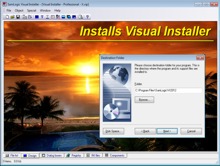 With
SamLogic Visual Installer you can create a setup package
that contain your program file(s) and documents that
need to be installed on other computers. No programming
skills are needed to use this very easy-to-use tool. With
SamLogic Visual Installer you can create a setup package
that contain your program file(s) and documents that
need to be installed on other computers. No programming
skills are needed to use this very easy-to-use tool.
A setup package created with the installation tool
Visual Installer can be distributed via CD, DVD, USB
flash drives and the Internet. Installations in
different languages can be created to install localized
versions of programs and documents.
Read
more about Visual Installer |
26 PROFESSIONALLY
DESIGNED MENU EXAMPLES / TEMPLATES
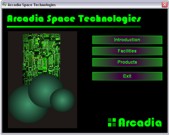
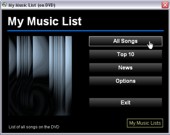
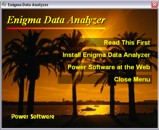
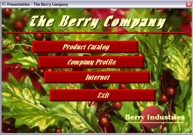
With SamLogic CD-Menu Creator come 26 professionally designed
menu examples. The menu examples show what you can do with
the program, but they can also be used as templates when
you create your own menus. On this page you can see screen
dumps of some of the menu examples that are included in the product
CD-Menu Creator:
AutoRun
Menu Examples
Video clips that shows some of the menu examples are also
available on our YouTube channel:
YouTube
- Autorun Menu Examples
YouTube
- Autorun Menu Examples for Games
A tip that show how to use a menu example as template for
your own menu is described on this page:
How
to use a menu example as template for your own menu
|