
Our menu tools (CD-Menu Creator 2026 and USB Menu Creator 2026) now support PNG pictures in menu interfaces. PNG is a modern picture format and have great support for transparency. Both full transparency and partial transparency.
PNG pictures can be used for the background picture, the logotype picture and the menu picture. But PNG pictures are especially useful for logotype pictures. Thanks to the great transparency support, the logotype is nicely combined with the background.
The two screen shots below show examples of that. A title and a PNG logotype has been added to each menu interface. The PNG logotype has been placed in the bottom right of each menu window.

Logotypes on websites are often in the PNG format. So if you already use a PNG picture for your website logotype, it can also be used on a menu interface created with our menu tools.
See also
> PNG pictures are now supported in menu interfaces
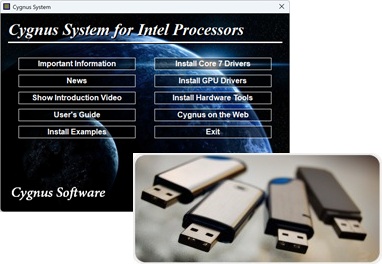 We have now released a new version of our USB autorun menu tool
 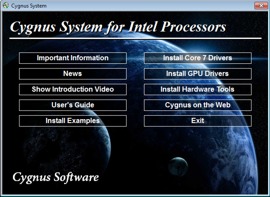 USB Menu Creator is a new product from SamLogic Software that can be used to create AutoRun menu interfaces for USB sticks / pen drives. The created menu interface will be opened automatically when the USB stick is plugged into a USB port in the end-user’s computer. From the menu the end-user can start a setup program, run an application, open a document, play a video or Flash animation, open a web page etc.