

In a 64 bit computer with 64 bit Windows installed there exists two Program Files folders and two System folders. The reason to this is that 32 bit binary files and 64 bit binary files must be placed in different folders. When you distribute and install a program it is important that you install your files in correct folders. 64 bit binary files must be installed in 64 bit folders and 32 bit binary files must be installed in 32 bit folders, otherwise your program may not work. It is not necessary to install data files with 64 or 32 bit data in specific folders; this is only important when binary / executable files are installed (for example EXE files and DLL files).
Our setup tool SamLogic Visual Installer handles all this automatically if you specify the bitness for your setup project in the 32/64 bit tab in the Setup options dialog box in the editor, and uses the %PROGRAMFILES and %SYSDIR variables when you specify destination folders for your installaton files.
The %PROGRAMFILES variable can be used in the Main folder text box in the File list tab in the Visual Installer editor. The picture below shows an example of usage:
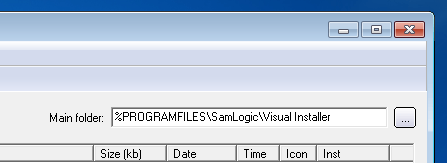
And if a file should be installed to the System folder in Windows, you can choose the System directory (%SYSDIR) option in the Destination folder dialog box, as shown below:
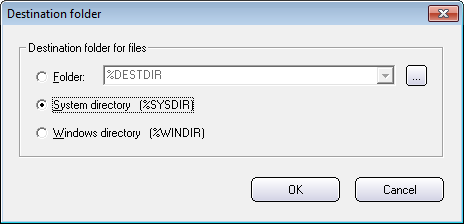
If you use these variables in the way described above, your files will always be installed to correct folders in the system.
More information
More information about 32 and 64 bit folders is available in this article on our web site:
> Windows 64-bit: The ‘Program Files (x86)’ and ‘SysWOW64’ folders explained
 Responsive Web Design (RWD) is something that have attracted much attention over the past year, and we at SamLogic Software sometimes get this question from our
  There are many web sites on the Internet that offer free email newsletter templates. The templates can be used for email marketing / email campaigns, or for other purposes. A big advantage of using a ready-made newsletter template is that you will save much time. You don’t need to create a complete newsletter from scratch; you only need to make the changes that are unique for your company, for example adding your company’s logotype. Or maybe adjusting some colors or font sizes in the template.
 HTML templates
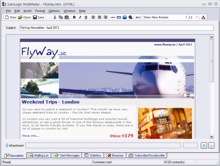 Compatible with our email software MultiMailer
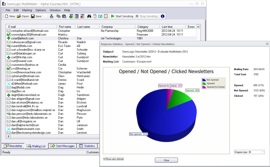 In our e-mail tool
  The video is best viewed in a quality of 480p. You can change the quality of the video by clicking on the symbol shown to the right in the video window (when video is playing). You can also view the video directly on