

 In this blog post we described how to check if Microsoft Access is installed in a computer by using script code in Visual Installer. But if you want to check if a specific version of Access is installed. Is it possible?
Yes. It is. It is possible to check if a specific version of Access is installed in a computer. To achieve this, you can extend this conditional test:
IF ACCESS_INSTALLED
with a version number, like this:
IF ACCESS(15)_INSTALLED
In the example above, Visual Installer will check if Access version 15 (Access 2013) is installed. The conditional test gives True if Access version 15 is installed and False if it is not.
How to check for a specific bitness of Access
 It is also possible to check if a specific bitness (32 or 64 bit) of Microsoft Access is installed in a computer – in addition to the version number. For example, to check if a 64 bit version of Access 2013 (version 15) is installed, you can use the following script:
IF ACCESS(15)_64BIT_INSTALLED
If you instead want to check if a 32 bit version of Access 2013 is installed, you can use the following script line:
IF ACCESS(15)_32BIT_INSTALLED
If you want to check which bitness of Access that is installed, regardless of the version number, there is another conditional test than you can use. For example, to check if any 64 bit Access is installed in the computer, you can use the following conditional test:
IF ACCESSBIT=64
In the same way you can check if any 32 bit Access is installed in the computer, by using this conditional test:
IF ACCESSBIT=32
Examples
Below are some script examples that shows how to use the conditional tests:
IF ACCESS(15)_INSTALLED
RUN %DESTDIR\Install-Access2013-Tools.exe
END IF
// Example 2 – Tests if a 32 bit version of Microsoft Access 2013 is installed in the system
IF ACCESS(15)_32BIT_INSTALLED
RUN %DESTDIR\Install-Access2013-32bit-Tools.exe
END IF
// Example 3 – Tests if any 32 bit version of Microsoft Access is installed in the system
IF ACCESSBIT=32
RUN %DESTDIR\Install-Access-32bit-Tools.exe
END IF
Access version numbers
In this blog post you will find a list with available version numbers for some of the conditional tests described above.
 We have now released a new version of our e-mail / newsletter tool
  We have now released a new version of our installation tool
  • Supports the new Windows 11.
 Starting with Visual Installer 2022, there is now an Enterprise version of the installation tool available. The Enterprise version of Visual Installer contains some extra functions that are not included in the Professional and Standard versions. Below are some examples: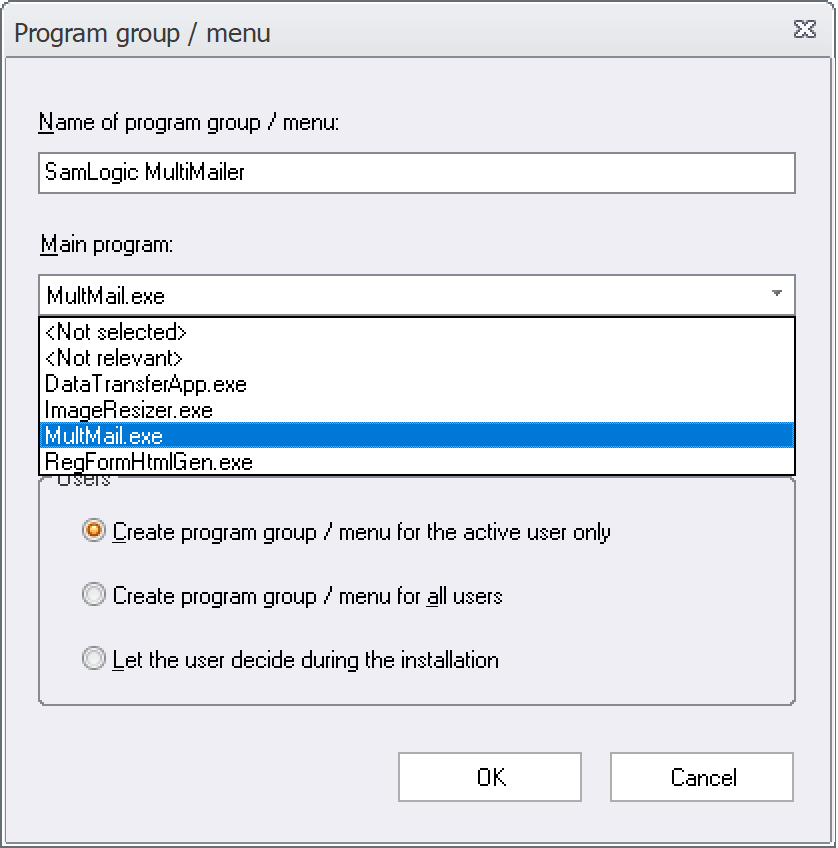
 In
In  We have an international newsletter that is targeted for our international customers where we publish information and news related to our products and our company. We send the newsletter about 5-7 times/year. In the newsletter you can read about: